Embed webpage in Limesurvey
You can embed a web page in Limesurvey. The web page can even be a jspsych experiment that returns data and saves this data in the limesurvey database.
The modern method that only works at Radboud University: the Alien Question Type
- Make a survey in Limesurvey 7
- Select the Alien question type from the Text Questions section.
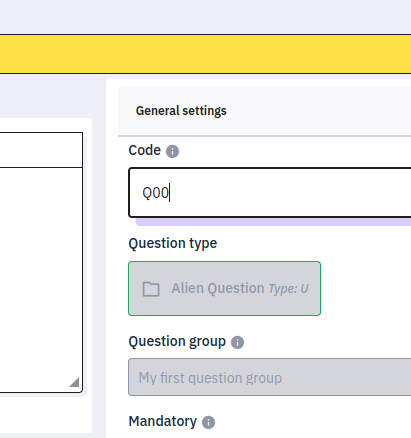
- Put the url of your experiment in the alien question settings.
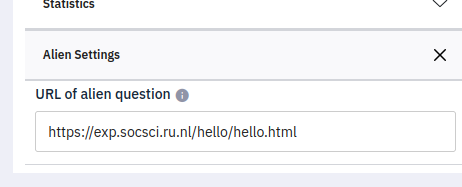
- Make sure to save all data to the parent with the following line in initJsPsych.
jsPsych = initJsPsych({
	on_finish: (data) => window.parent.postMessage(data.trials, "*"),
})
You can still save to Radcloud in the usual manner as well, but this line must be present to save the data to Limesurvey and to make sure Limesurvey knows that the experiment part of the survey is over. - The other questions in your question group will not be visible, so make sure that there or none or that filling them in is not mandatory. You can use questions in other question groups normally.
Note that your experiment has a limit on the amount of data sent to Limesurvey at 65536 bytes of json. The fullscreen plugin in jsPsych will not work, but can be present without risk. Previewing your question or question group
In the new editor will not be able to alter this question: This question type isn't supported in the new editor yet, but your responses will still be collected. If you want to make edits you can switch to a similar question type or edit it in the classic editor.
The old method that always works in all version of Limesurvey
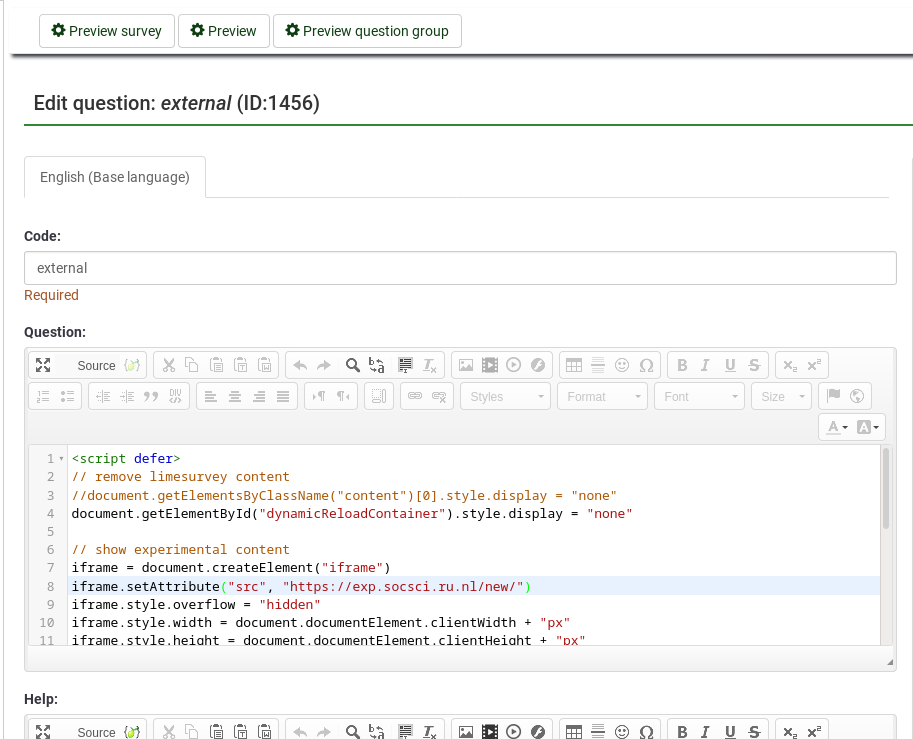
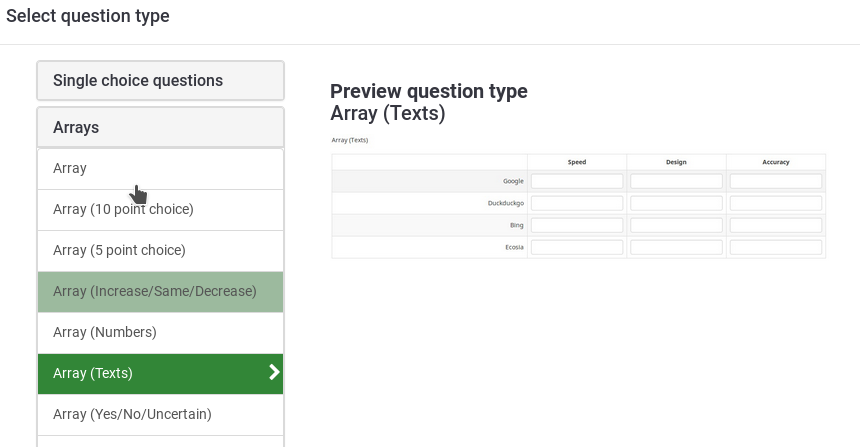
The following script can be added to the html of a Array(Texts) question that is the only question in a question group.
Line 5 removes all Limesurvey text from your screen. The whole screen will be available for your experiment.
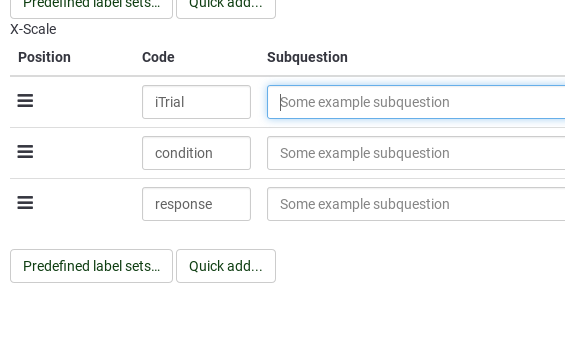
The data returned by the experiment that is referred to in line 11 will be copied in the short text field. There is an demo of this method in the Demo: AX-CPT survey.
<script defer>

// remove limesurvey content
//document.getElementsByClassName("content")[0].style.display = "none" // limesurvey 2
document.getElementById("dynamicReloadContainer").style.display = "none" // limesurvey 3
// white pixel as background image
document.body.style.backgroundImage = 'url(data:image/png;base64,iVBORw0KGgoAAAANSUhEUgAAAAEAAAABAQMAAAA'+
	'l21bKAAAAA1BMVEUAAACnej3aAAAAAXRSTlMAQObYZgAAAApJREFUCNdjYAAAAAIAAeIhvDMAAAAASUVORK5CYII=)'
// show experimental content
iframe = document.createElement("iframe")
iframe.setAttribute("src", "https://exp.socsci.ru.nl/demo/")
iframe.style.overflow = "hidden"
iframe.style.width = document.documentElement.clientWidth + "px"
iframe.style.height = document.documentElement.clientHeight + "px"
iframe.style.border = 0
document.body.appendChild(iframe)
// react to experiments data
// child must call window.parent.postMessage([{iTrial: 0, condition: "AX", response: "target"}], "*")
window.addEventListener("message", function(e) {
	var data = e[e.message ? "message" : "data"]
	console.log("data escaping iframe:")
	console.log(data)

	// for array of texts with x subquestions iTrial, condition and response
	// iterate over each column of data in the survey
	$('[id^="answer"]').filter('[id$="iTrial"]').each(function(i) {
		try{
			this.value = data[i].iTrial
		} catch(e){ console.log("") }	// data is shorter than limesurvey array, leaving the catch block empty causes error
	})
	$('[id^="answer"]').filter('[id$="condition"]').each(function(i) {
		try{
			this.value = data[i].condition
		} catch(e){ console.log("") }
	})
	$('[id^="answer"]').filter('[id$="response"]').each(function(i) {
		try{
			this.value = data[i].response
		} catch(e){ console.log("") }
	})

	//document.getElementById("movenextbtn").click() // proceed to next question group
	document.getElementById("ls-button-submit").click() // finish, limesurvey 3
}, false)

</script>